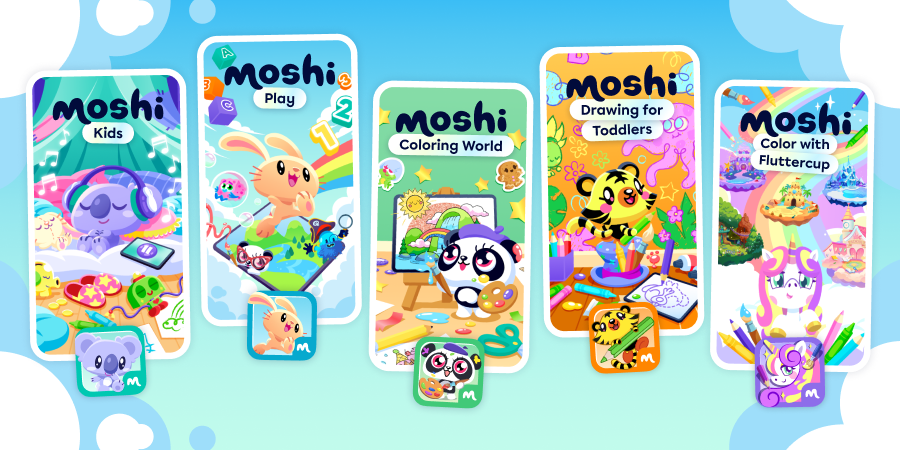
Moshi Family of Apps
Instead of managing multiple subscriptions, renewals, and payments, enjoy the convenience of one simple subscription with access to the entire Moshi family of apps. One bundle unlocks all content across all five Moshi apps, making it easier than ever to explore everything Moshi has to offer!
Which apps are included in the subscription?
The plan includes access to all current apps within the Moshi ecosystem. Currently, the apps included in the subscription are:
- Moshi Kids
- Moshi Play
- Moshi: Coloring World
- Moshi: Drawing for Toddlers
- Moshi: Color with Fluttercup
What platforms can I purchase the subscription on?
Currently, the Moshi Family of Apps bundle is only available on Apple devices and Android via Google Play
Can I purchase the new Moshi Family of Apps bundle on the website?
Not at this time. New bundle subscriptions and renewals are currently handled directly through mobile App Stores (such as Apple’s App Store or Google’s Play Store).
Can I use the apps on multiple devices?
Yes. Once subscribed through your primary app store, your unified login allows you to log in across your supported mobile and tablet devices.
What happens to my current individual app subscriptions when I join the bundle?
Subscribing to the Moshi Family of Apps does not automatically cancel or replace your existing single-app subscriptions. Because subscriptions are managed through the store or platform where you originally purchased them, you must manually cancel your individual app subscriptions to avoid being billed twice upon renewal.
What if I currently have a standalone subscription to Moshi Kids via the website?
If you originally subscribed to Moshi Kids directly through our website (moshikids.com), upgrading to the Moshi Family of Apps bundle will not automatically cancel that web subscription. You must log in to your account on moshikids.com, navigate to your account profile settings, and select Cancel Subscription.
Will the app notify me if I am already paying for an individual app?
Yes. When you attempt to sign up for the Moshi Family of Apps, in-app intervention screens will automatically detect if you have an active single-app subscription and display where that subscription was purchased from (e.g., Apple App Store, Google Play Store, or Web) so you know exactly where to go to cancel it.
How do I cancel my previous single-app subscription?
You can only unsubscribe directly through the storefront, platform, or app where you initially started the subscription:
- Website (Moshi Kids): Log into your account at moshikids.com, go to your account profile settings, scroll to Subscription, and click Cancel Subscription.
- Apple App Store: Open your iOS Settings > tap your name > Subscriptions > select the app and tap Cancel Subscription.
- Google Play Store: Open the Google Play Store app > tap your profile icon > Payments & subscriptions > Subscriptions > select the app and tap Cancel subscription.
Will I lose my saved data, settings, or progress when I move to the bundle?
No. Your user account data, preferences, and saved progress across all apps are tied to your primary user login. Once you switch to the Moshi Family of Apps bundle and cancel your duplicate individual subscription, all your existing data will remain intact.
Billing & Account Management
Where do I manage my billing or cancel the Moshi Family of Apps bundle?
Because bundle subscriptions are currently handled via mobile app stores, all billing, payment updates, and cancellations for the Moshi Family of Apps bundle must be managed through the storefront account (Apple or Google) that you used when signing up.
How do app updates work under this model?
Updates and new features for all apps in the Moshi Family are rolled out automatically through your device’s app store. You will always have access to the latest versions across the entire suite and update accordingly.